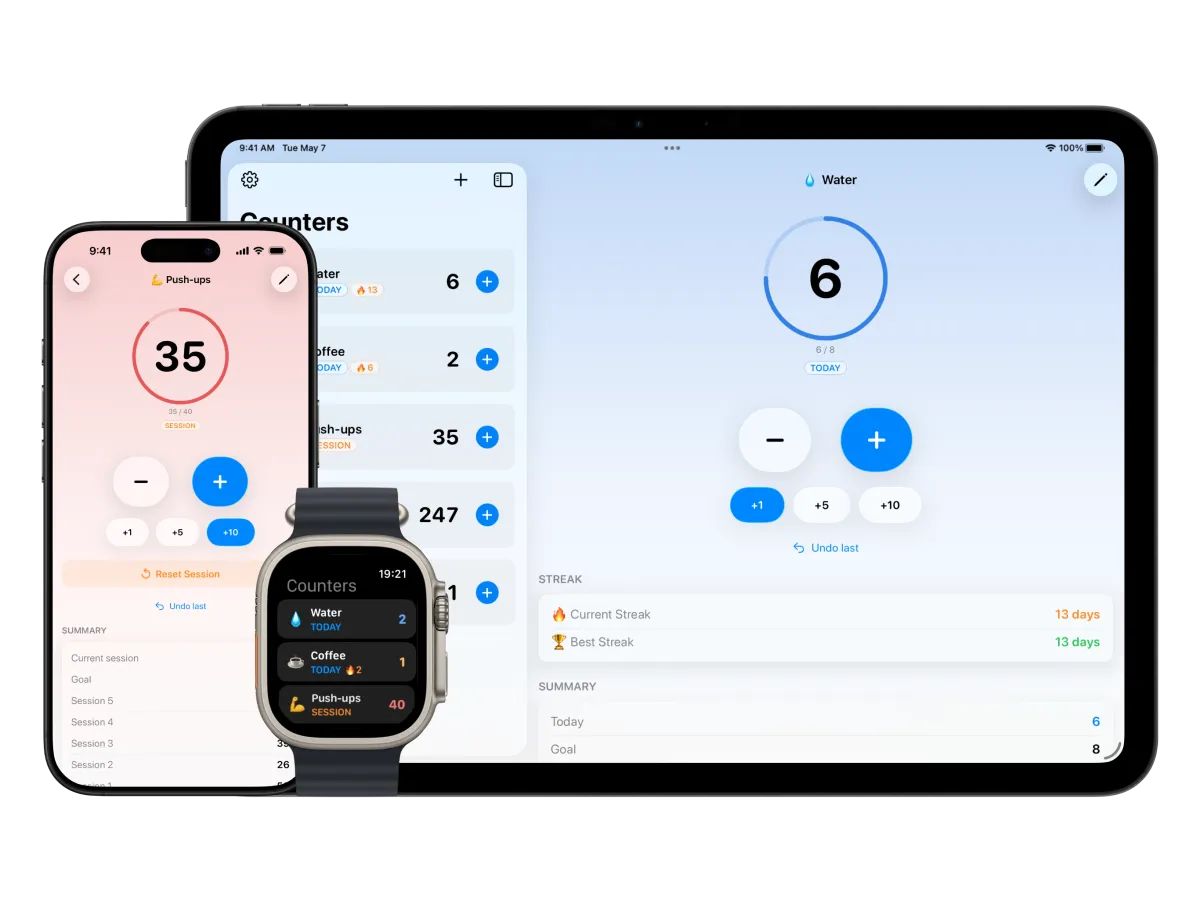
1Counter 1.1: Goals, Streaks, Widgets, and Apple Watch

Simple Tally Counter
1Counter 1.1 is the biggest update since launch. What started as a simple, beautiful counter app is now a full-featured tool for building habits, tracking goals, and staying consistent — across iPhone, iPad, and now Apple Watch.
Here's everything new.
Set Goals & Celebrate
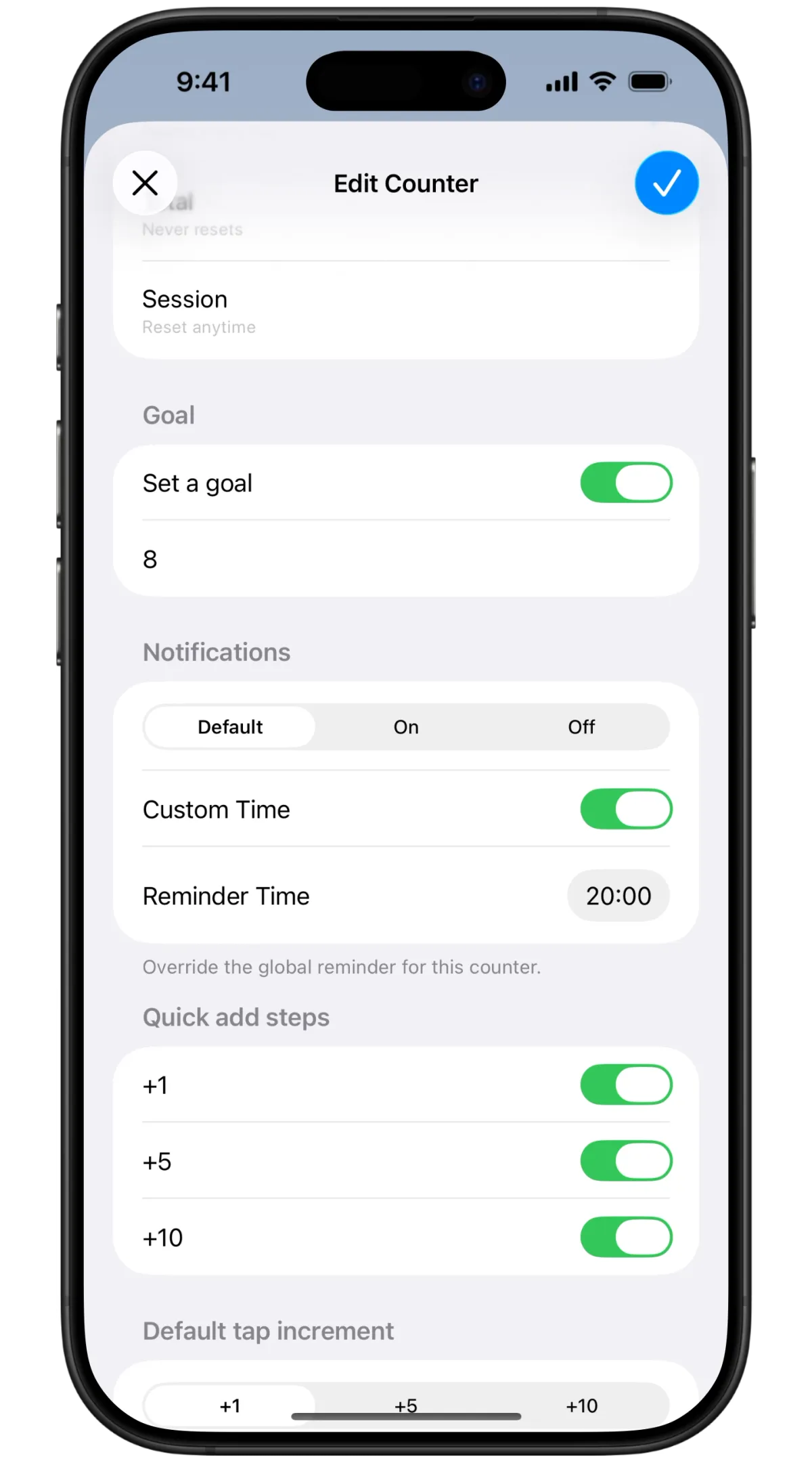
Every counter can now have a goal. Set a daily water target, a total page count, or a session-based workout rep goal — and watch a progress ring fill up as you count.
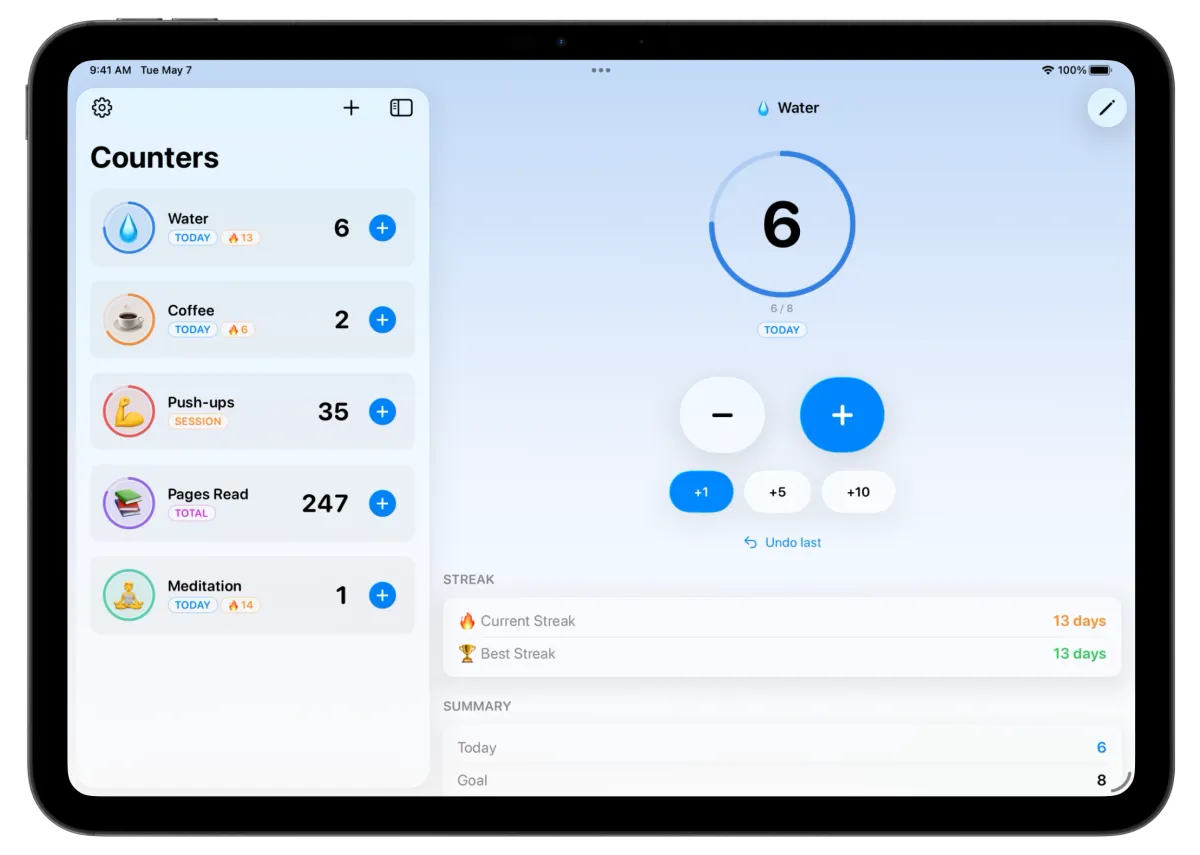
Hit your goal and the app celebrates with you — confetti and all.
Goals work with all three counting modes: daily goals that reset at midnight, total goals that track cumulative progress, and session goals you reset manually.
Build Streaks
For daily counters with a goal, the app now tracks how many consecutive days you've hit your target. Your current streak and best streak are always visible — on the counter detail screen, as a badge in the counter list, and on your widgets.
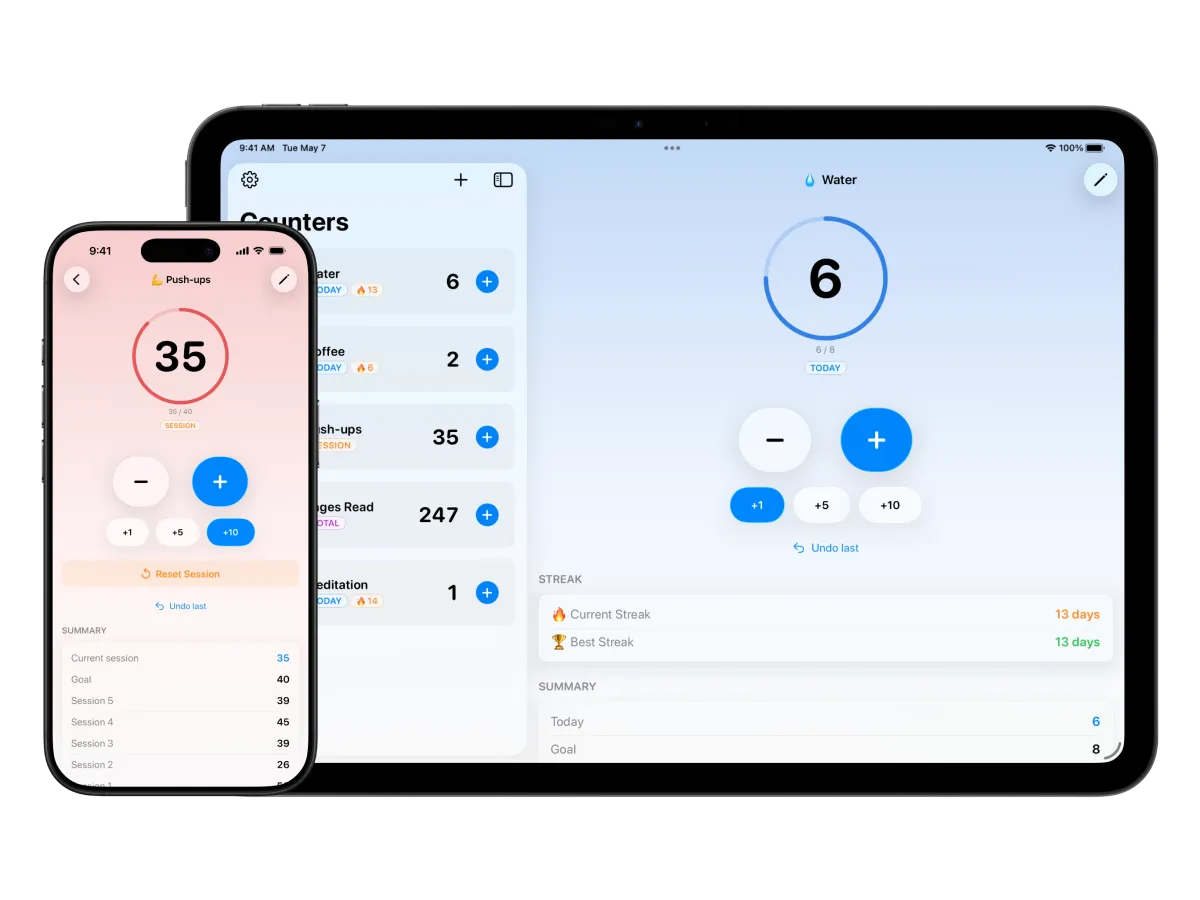
It's a small addition that makes a big difference. Don't break the chain.
Widgets Everywhere
1Counter now has widgets for every surface iOS offers.
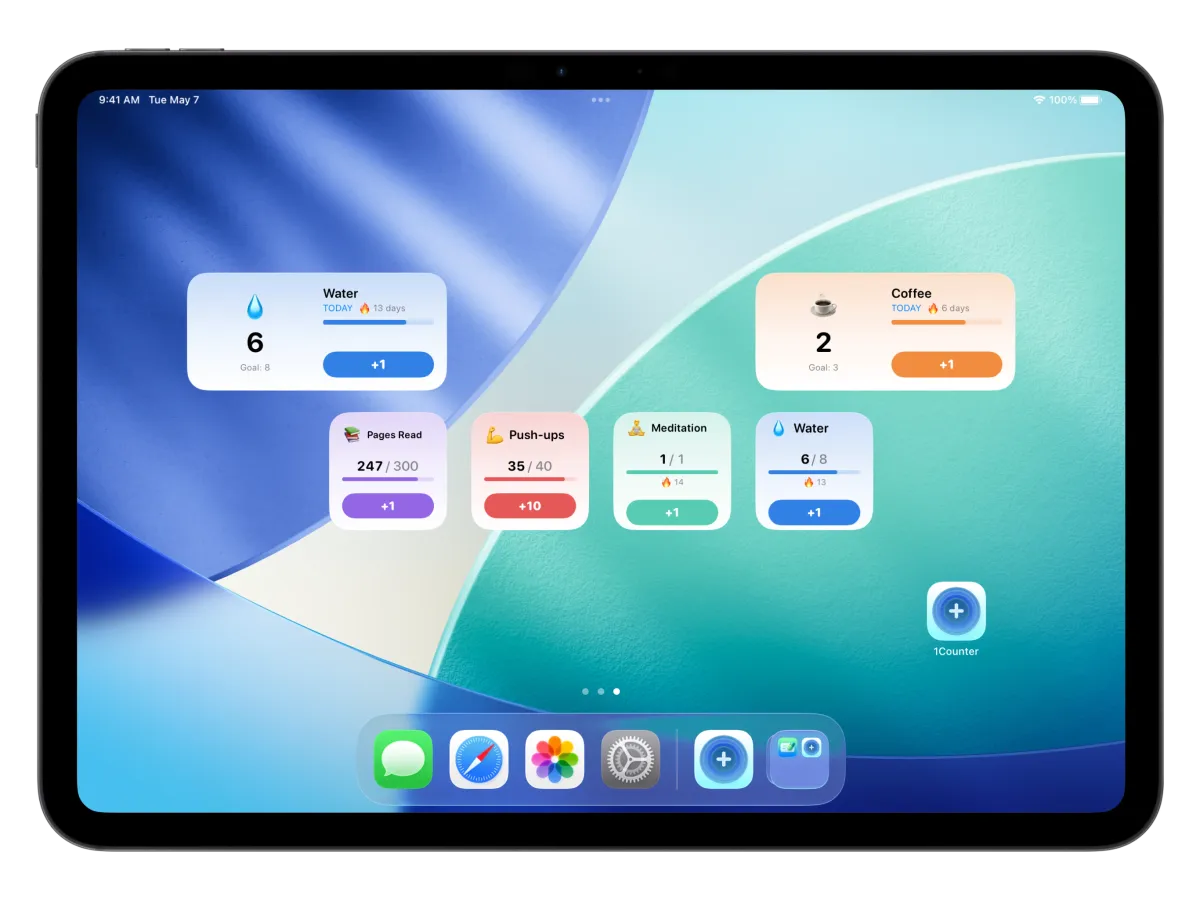
Home Screen widgets come in small and medium sizes. They show your live count, goal progress, and include an interactive increment button — tap + without opening the app. Each widget uses your counter's color as a gradient background.
Lock Screen widgets let you check progress at a glance — circular with a goal gauge, rectangular with counter details, or inline for minimal display.
Control Center widget (iOS 18+) gives you a one-tap increment button right from the system controls.
Tap any widget to jump straight to that counter's detail view.
Apple Watch
1Counter is now on your wrist. The full watch app lets you browse counters, increment and decrement with haptic feedback, and track goal progress with a dedicated progress ring.
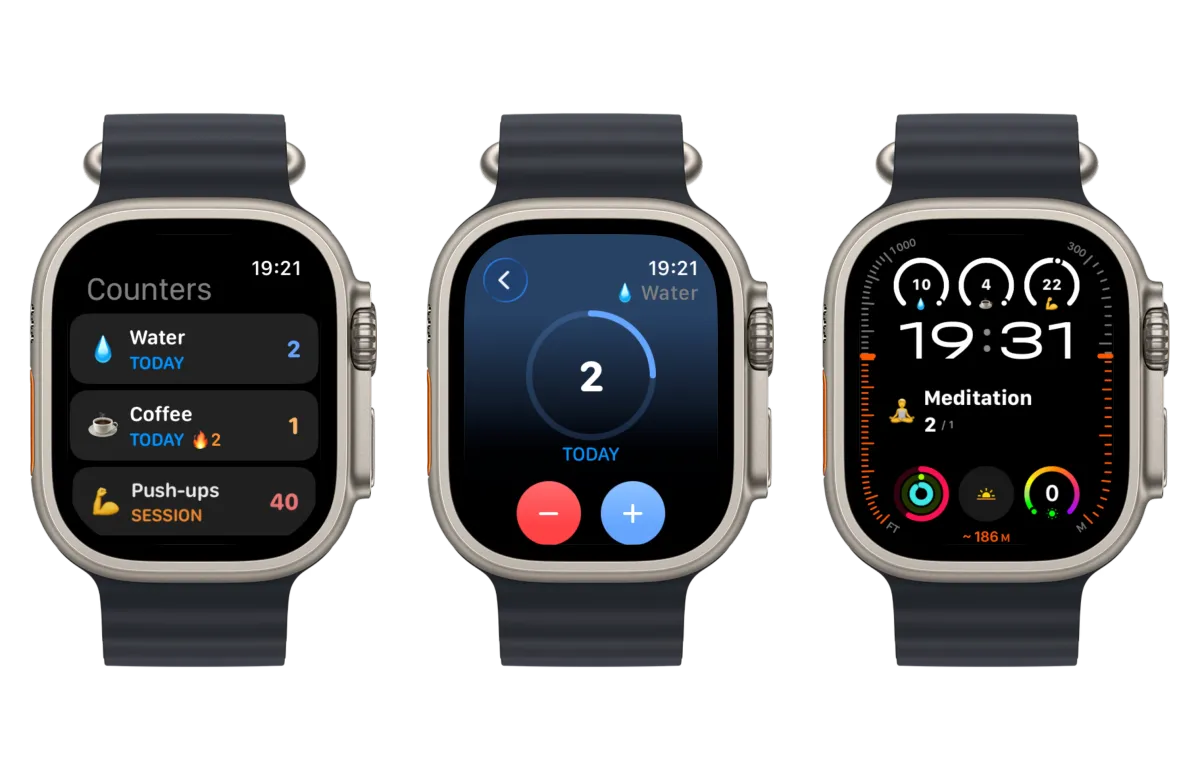
It also includes watch widgets so you can see your counts right on the watch face. Everything syncs through iCloud — no setup needed.
Smart Notifications
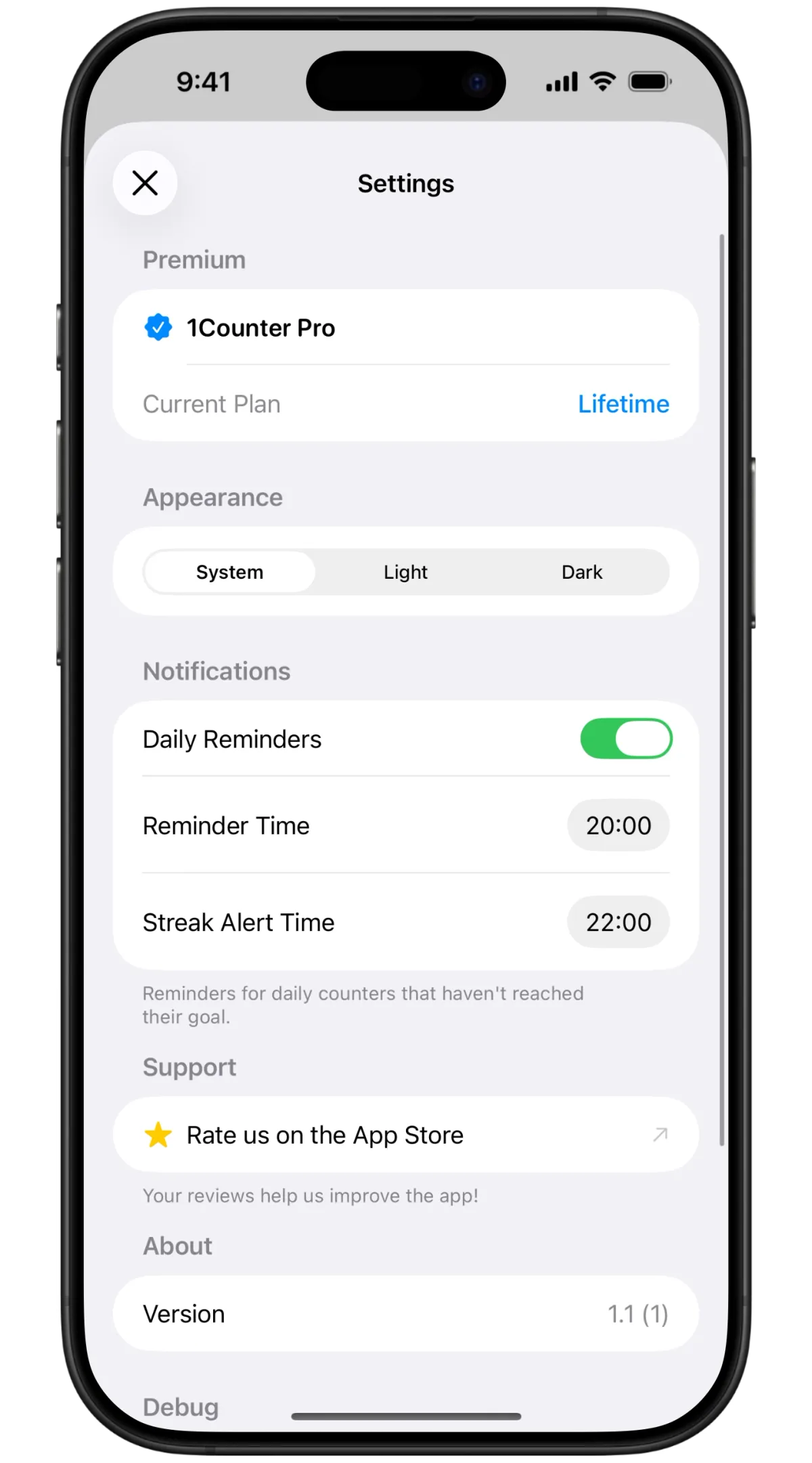
Daily reminders and streak alerts keep you on track.
iCloud Sync
All your counters, activity history, goals, and settings sync seamlessly across iPhone, iPad, and Apple Watch via iCloud. Set up a counter on one device, and it's already there on the others. No account required.
Full Accessibility
Every screen supports VoiceOver — counter lists, detail views, widgets, the watch app, and all settings. 1Counter is designed for everyone.
This update lays the groundwork for what's coming next. If you have ideas or feedback, I'd love to hear from you.
Simple Tally Counter
Track anything in seconds. Simple, fast, and flexible counter for everyday life.